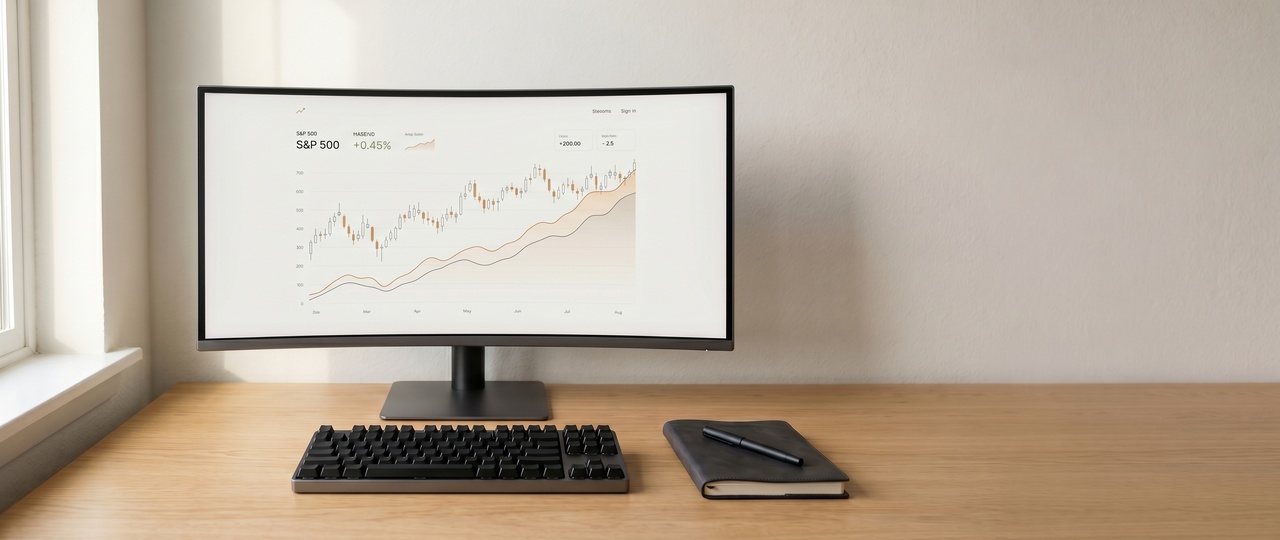
I trade NQ and MNQ futures from home, UK time. The US futures session opens at 2:30pm — which gives me the morning for coffee, journaling, and market prep, and the afternoon and early evening for active trading. The setup has evolved over a few years from something cobbled together to something deliberate. What I have now I'd buy again.
The context matters for any setup article: I'm not day-trading equities at 6am in a basement surrounded by six monitors. The ergonomics are different. The pace is different. What I need is clarity, comfort across a multi-hour session, and the ability to track price action across a few key charts simultaneously without neck strain or eye fatigue. That shapes everything on this desk.
"The US futures session opens at 2:30pm UK time. The morning is mine — coffee, prep, clarity. The setup exists to protect that state of mind when the session starts."
The Monitors — Dell UltraSharp U2723QE (×2)
Two monitors, both Dell UltraSharp 27-inch 4K. I went to two from one about eighteen months ago and it's the single biggest ergonomic improvement I've made. The primary monitor carries the active chart and order entry. The secondary carries the broader timeframe charts, watchlist, and journal. Nothing overlapping, nothing alt-tabbed.
The reason I chose the U2723QE specifically: IPS Black panel (significantly better contrast ratio than standard IPS), factory colour calibration certificate, and the USB-C hub functionality that reduces cable clutter on the desk. They sit on the original stands — not on monitor arms, because the stands have excellent adjustment range and I've found monitor arms introduce vibration that I find distracting during fast price action. Both monitors are in portrait — no, horizontal. I tried portrait for a period and went back.
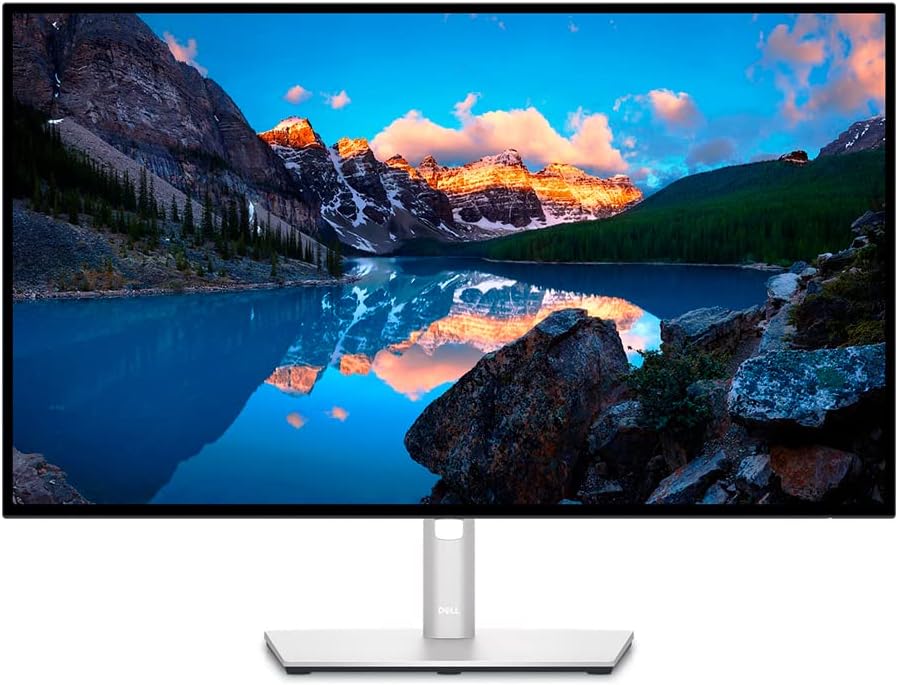
Dell UltraSharp USB-C Hub Monitor — 27" 4K
IPS Black panel with a 2000:1 contrast ratio — measurably better than standard IPS and it shows when reading candlestick bodies quickly. Built-in USB-C hub with 90W power delivery removes a significant amount of cable clutter from the desk. Factory colour calibration included. I run two of these side by side and wouldn't swap them for anything at this price point.
Pros
- IPS Black — excellent contrast
- USB-C 90W hub built in
- Factory calibrated
- 27" 4K UHD
Cons
- Premium price
- No built-in speakers
The Desk — Flexispot QN1 Electric Standing Desk
I don't stand at the desk while trading — the decision-making environment is too different when I'm standing versus seated, and I found I made slightly different decisions (less patient, slightly more reactive) when standing during a session. The standing option is used before the session opens, for prep and journaling, and occasionally in the evening. The ability to change working height throughout the day is genuinely useful even if you're not standing all day.
The Flexispot QN1 is an electric height-adjustable standing desk that punches well above its price. Single motor, smooth and quiet height adjustment, and a compact footprint that works well in a home office setup. At £144.49 it's one of the best value standing desks available on Amazon UK right now — enough surface area for dual monitors, keyboard, and the essentials without dominating the room.
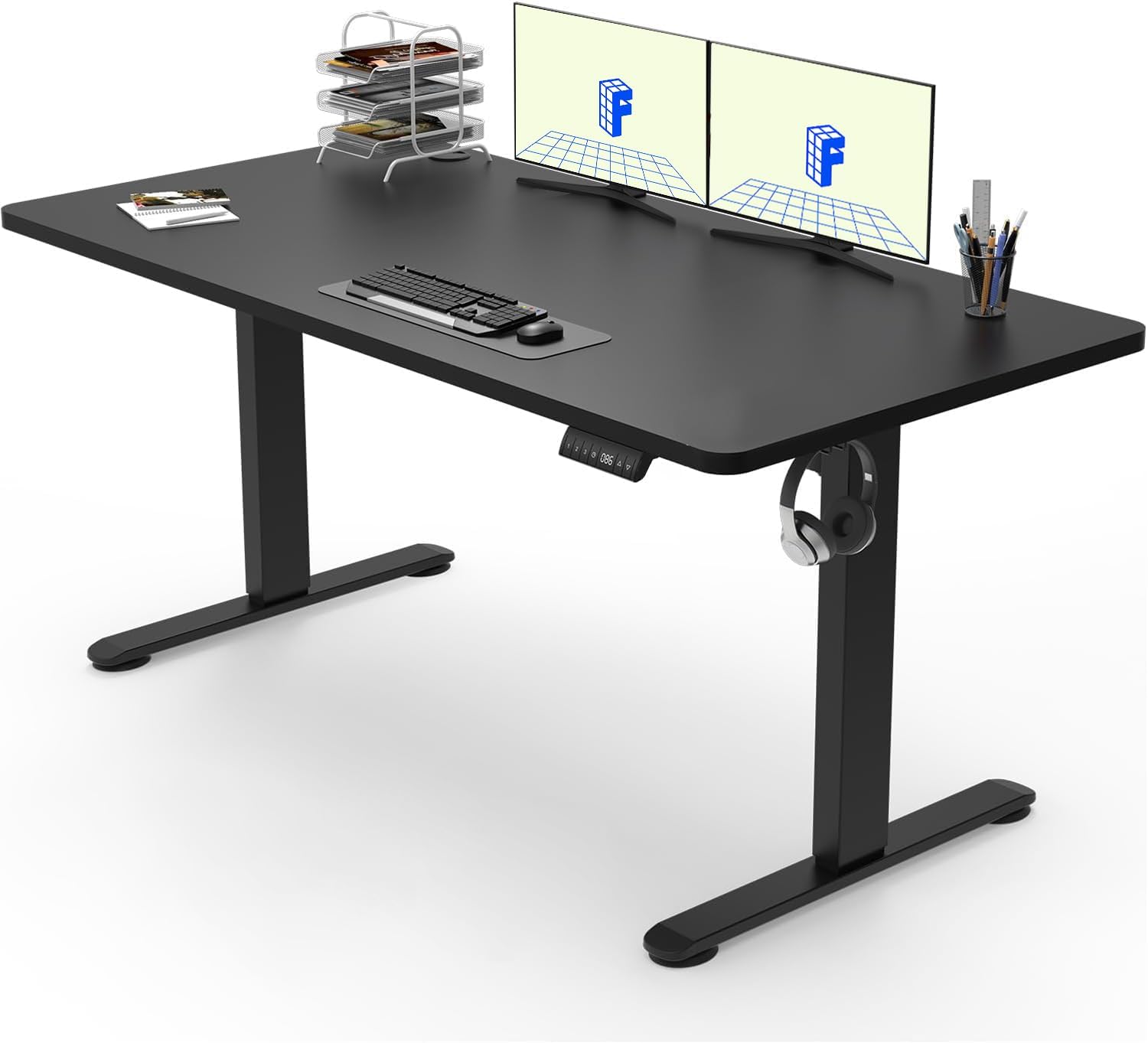
Flexispot QN1 Electric Standing Desk
Quiet electric height adjustment, programmable presets, and a sturdy frame at a price that makes the competition look expensive. Works brilliantly as a home office trading desk — wide enough for dual monitors with room to spare. Straightforward assembly and a clean finish in black or white.
Pros
- Excellent value
- Quiet motor
- Height presets
- Clean, minimal design
Cons
- Single motor (vs dual on E7)
- Smaller surface than E7
The Chair — HAG Capisco 8106
The chair is the most important thing in the setup and the one most people underinvest in. I sat on three different chairs over two years — an entry-level mesh chair, a mid-range ergonomic chair, and now the HAG Capisco — and the difference between them is not subtle. The Capisco is in a different category.
The HAG Capisco is a Norwegian ergonomic chair designed specifically for dynamic, shifting postures — it's built around the idea that you should be able to move, reposition, and sit in multiple orientations throughout the day. For trading sessions that run 3–4 hours, the ability to shift position periodically without having to get up is significant. The saddle seat design tilts the pelvis forward naturally, which takes pressure off the lumbar without having to engage the back muscles consciously.
It's expensive. The 8106 (the fabric version, as opposed to the 8010 leather) typically costs £1,000–£1,400 new. I bought mine through a specialist ergonomics supplier — not Amazon, where availability is inconsistent and the product range is limited. It's been the chair for over two years and shows no sign of wear. More detail on chair options (including the Sihoo alternatives at a fraction of the price) is in the dedicated Chairs & Desks article.
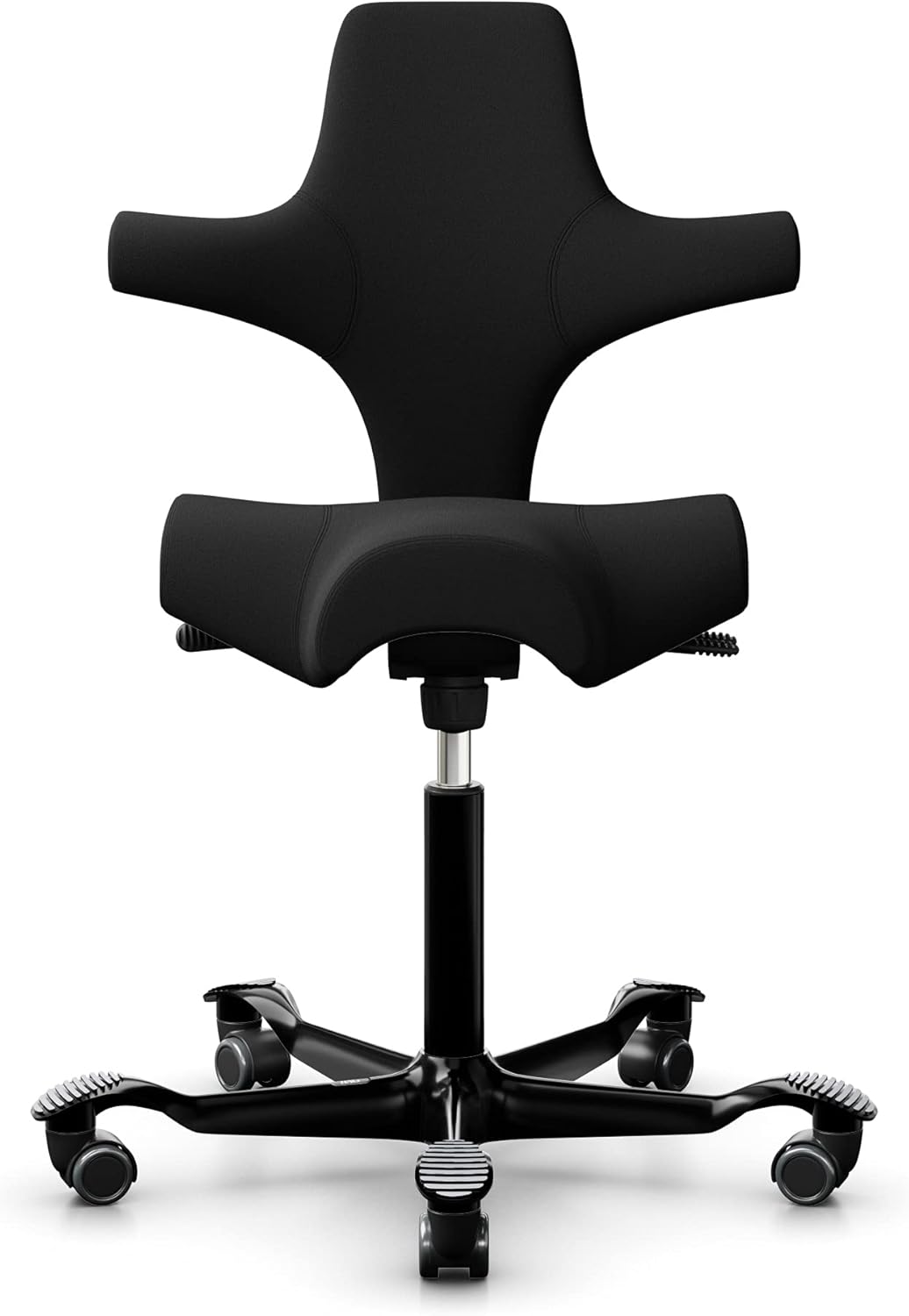
HAG Capisco Ergonomic Office Chair
Norwegian-designed ergonomic chair built for dynamic sitting. The saddle seat tilts the pelvis forward naturally, relieving lumbar pressure across long sessions without conscious effort. Multiple sitting orientations — forward, saddle, and reverse — mean you can shift position throughout a trading session without getting up. It's expensive. It's also the best chair I've used across a multi-hour session, and it shows no sign of wear after two years of daily use.
Pros
- Dynamic sitting posture
- Superb lumbar support
- Multiple orientations
- Built to last
Cons
- Premium price point
- Takes time to adjust to
The Peripherals — Keyboard, Mouse, Headphones
Nothing exotic here. The keyboard is a Keychron K2 — compact tenkeyless (75%) layout, wireless, Cherry MX Brown switches. It doesn't take up desk space I need, it sounds better than a membrane keyboard, and the tactile switches give enough feedback without being as loud as clicky switches during a session where I'm concentrating.
The mouse is a Logitech MX Master 3 for Mac. It's the best mouse I've used for desk work — the horizontal scroll wheel is genuinely useful when scrolling through chart history, the thumb button is mapped to a chart shortcut in TradingView, and the battery lasts weeks. On Amazon UK.
Headphones during the session: Sony WH-1000XM5. I'm not listening to music while trading — I'm using the noise cancellation to remove background noise without creating a sealed environment. I can still hear the phone. I can hear the market audio feed on NinjaTrader. But I can't hear the TV from the next room or traffic outside. That distinction — not isolation, but reduction — matters for concentration across a long session.
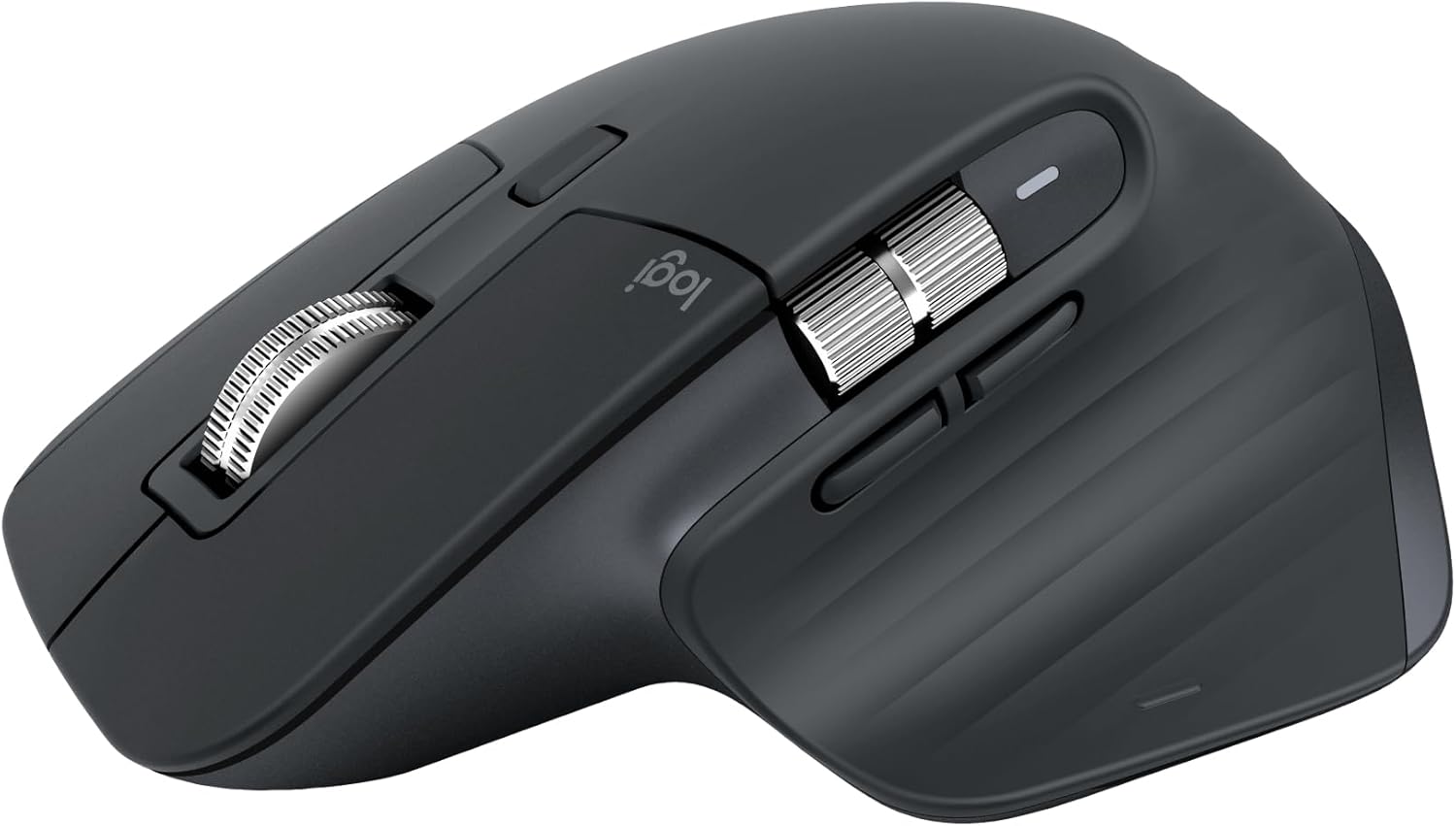
Logitech MX Master 3 — Performance Mouse
The best productivity mouse I've used. The MagSpeed scroll wheel handles fine scrolling through chart history and fast scrolling through long documents equally well. The horizontal scroll wheel is genuinely useful — not a gimmick. The thumb button is mapped to a chart shortcut in TradingView and has meaningfully improved my workflow. Long battery life, seamless Mac and Windows switching.
Pros
- MagSpeed scroll wheel
- Programmable buttons
- Weeks of battery life
- Mac & Windows
Cons
- Large — not for small hands
- Right-handed only
The Software Layer
Software isn't the focus of this article but it shapes how the hardware is used:
- NinjaTrader 8 — charting and order execution for NQ/MNQ futures via CME. Primary chart platform.
- TradingView — supplementary charting, especially for macro and broader market context. Pro subscription. Secondary monitor.
- Notion — trade journal and session notes. More detail in the trading journals article.
- macOS Focus Mode — during the trading session, notifications off, only trading-related apps running.
What Actually Makes the Difference
People building trading setups overweight the hardware and underweight the environment. The monitors matter — clarity and screen real estate reduce cognitive load. The chair matters — discomfort is a distraction, and trading is a long-form concentration task. The software and data feeds matter.
What matters more than any of these: the discipline to only trade during the session you've prepared for, the absence of notifications and distractions during that session, and the habit of reviewing and journaling after every trading day. None of those things cost anything. The setup exists to support the discipline, not to substitute for it.
Active Session Setup
Primary monitor: NinjaTrader (live chart, order entry, DOM). Secondary monitor: TradingView (macro context, higher TF reference).
Pre-Session Setup
Notion for journal and trade plan. TradingView for overnight levels, overnight session review, key level identification.
Post-Session Setup
Journal review in Notion. Screenshot of completed trades. Notes on what worked, what didn't, and one thing to focus on next session.
What's Deliberately Absent
Social media on any screen during the session. Financial news channels. Third monitors with news feeds. These are distractions, not data.